REST API · CSV in, quantiles out
Time series forecasting API
Send the history you already have. Get a median path, an 80% range and 21 quantiles back in seconds. Zero-shot: no training run, no model selection, no GPU.
One credit per successful call · failed calls refunded · CPU inference
CSV forecast studio
Paste a series, get a probabilistic forecast.
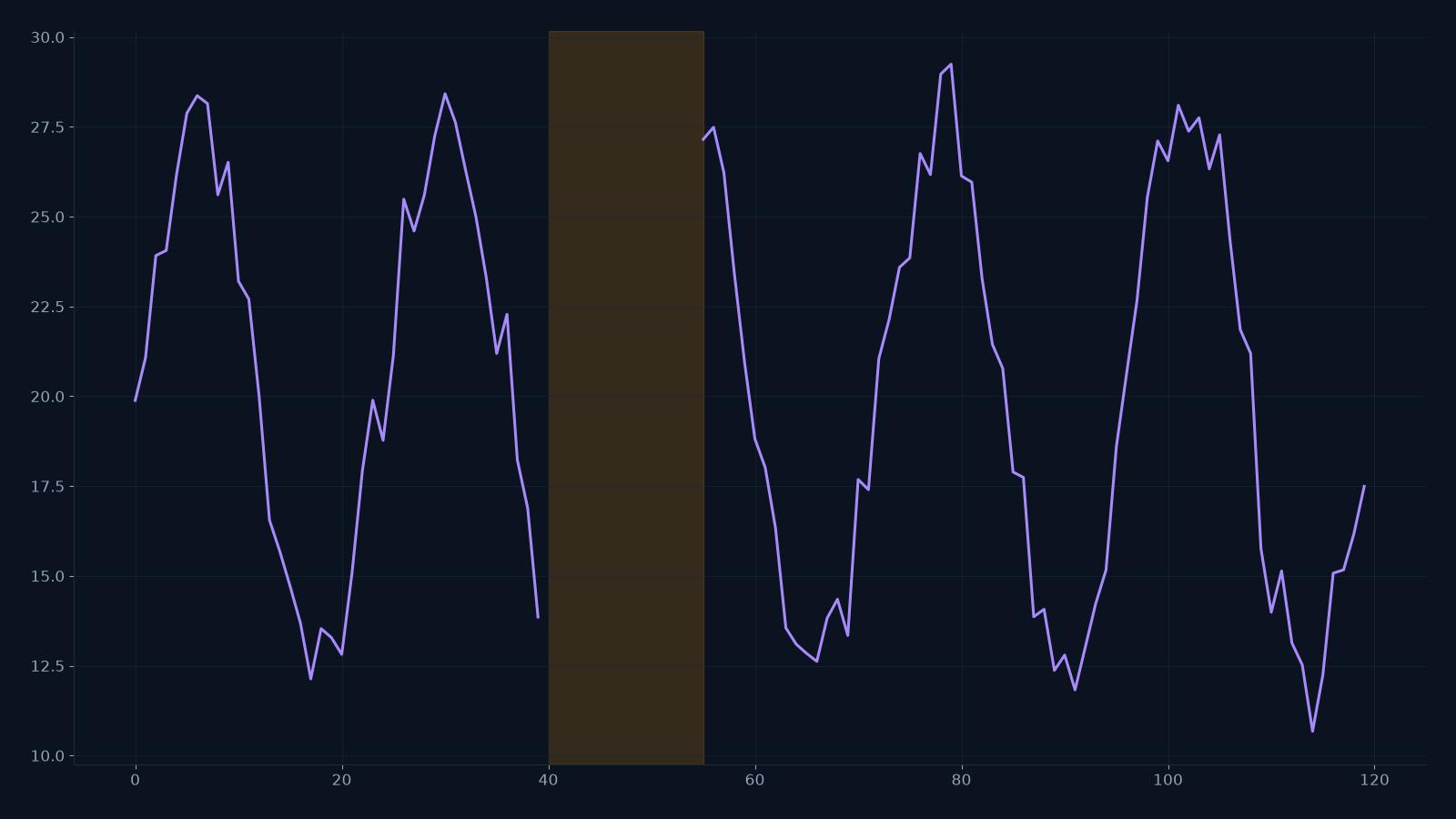
One value per row, or a date column plus one or more numeric columns. Timestral returns a median forecast and a likely range. The demo runs on the public Hugging Face Space; the API is the paid product.
One request
The shortest path from a series to a decision.
Most forecasting projects spend their first weeks on model selection, feature engineering and a training pipeline. This API skips that stage. You send the history; the model has already learned transferable temporal structure.
- No training job and no hyperparameter search
- Median, 80% band and all 21 quantiles in one response
- The result CSV is stored in our bucket for download
- A failed call is refunded, not silently charged
curl https://timestral.org/api/forecast \
  -H "Authorization: Bearer $TIMESTRAL_API_KEY" \
  -H "Content-Type: application/json" \
  -d '{
    "csv": "month,passengers\n2026-01-01,112\n2026-02-01,118\n...",
    "steps": 12
}'{
"code": 0,
"message": "ok",
"data": {
"taskId": "3fdaba74-ca4b-47cc-a469-0cbab4a592ed",
"columns": ["passengers"],
"rows": [
{
"time": "2027-01-01",
"column": "passengers",
"low": 191.70,
"median": 219.54,
"high": 248.11
}
],
"took": "2.45 s",
"fileUrl": "https://timestral.org/api/media/..."
}
}The contract
Nothing hidden in the time series forecasting API request.
The endpoint is deliberately narrow. One forecast per call, one credit per success. If the input breaks a rule, the response says which rule before any credit moves.
- Method
- POST
- Endpoint
- /api/forecast
- Auth
- Authorization: Bearer sk_... or session cookie
- Body
- csv: string, steps: number
- History
- 8 rows minimum, 2 MB maximum
- Series
- 1–8 numeric columns
- Horizon
- 1–1,024 steps
- Charge
- 1 credit per successful call
- On failure
- Credit refunded; task marked failed
Errors and limits
Time series forecasting API error codes.
A failed request returns a named code, not a generic 500. The codes below cover input validation, credit state and model availability. A validation failure never charges a credit.
- invalid_csv
- Missing body or larger than 2 MB.
- too_few_rows
- Fewer than 8 rows of history.
- no_numeric_column
- No column can be read as a series.
- too_many_columns
- More than 8 numeric columns.
- invalid_steps
- Horizon outside 1–1,024.
- insufficient_credits
- Buy a pack before retrying.
- quota_exceeded
- Public model busy; credit refunded.
- forecast_failed
- Model error; credit refunded.
Latency and throughput
The model runs on CPU. In a live call, a 12-step forecast returned in 2.45 seconds including queue time. The public Space is shared and can be slower or over quota; the paid endpoint is the path with reserved capacity. The endpoint accepts one request every 1.5 seconds per client. If you need more throughput, put forecasts in a queue and batch related series into one request, up to eight columns. For a dedicated quota, email us before you build a high-volume pipeline.
Data handling
Your CSV is used to produce the forecast you requested. It is not used to train or fine-tune a model. The task ledger keeps the request status and credit movement; the result file is stored in our R2 bucket so the returned file URL stays downloadable. Do not send data you are not allowed to process on a third-party service. If you need a private deployment, contact us.
Why an API
Why teams use a time series forecasting API.
Time to first forecast
A developer can go from a CSV to a JSON response in one afternoon. A custom training project usually takes weeks before it produces a number you trust.
No GPU, no serving stack
Timestral is designed for CPU inference. You do not need a GPU cluster, a model server, or a retraining schedule to keep the endpoint alive.
Uncertainty is the default
A point forecast hides risk. Every response carries quantiles, so inventory, staffing and capacity decisions can use the tail instead of the middle.
When should you train your own model? When you have strong causal features, a long history of interventions, or a latency and cost target that a hosted endpoint cannot meet. A zero-shot model is a strong baseline, not a replacement for every custom system. Test it against a seasonal naive baseline before you commit.
Pricing
Time series forecasting API pricing: one credit per forecast.
Credits are sold in 13 packs. A 10-call one-time pack is $9.90. Starter is $9.90 a month for 20 calls. Pro is $39.90 a month for 200 calls. Studio annual is $639 for 6,000 calls, which works out to about $0.11 per call.
Before you integrate
- 1. Create an account with an email code, then create a key in Settings → API keys.
- 2. Send one real series and compare the median with your current method on a holdout window.
- 3. Put the call behind your own queue or cron. The endpoint is rate-limited to one request every 1.5 seconds.
- 4. Store the task id and the returned file URL. Both are stable and make a failed call easy to trace.
FAQ
Time series forecasting API questions.
How do I authenticate a request?
Create a key in Settings → API keys and send it as Authorization: Bearer sk_.... The same endpoint also accepts a signed-in browser session, which is how the studio on this page runs.
What does one API call cost?
One credit. A successful call is charged when the forecast is stored. A failed call is marked failed and refunded to the balance it came from, so a model error does not cost you a credit.
What are the input limits?
A CSV string up to 2 MB, at least 8 rows, and up to 8 numeric columns. The horizon is 1 to 1,024 steps. Requests are rate-limited to one every 1.5 seconds per client.
Do you train on my data?
No. The series is used to produce the forecast you requested. It is not used to train or fine-tune a model. The result file is stored in our R2 bucket so you can download it later.
Is there a free API tier?
There are no free API credits. The browser studio is free while the public Hugging Face Space is available, and the email report needs no account. The API is the paid path for production.
What happens when the public model is over quota?
The call fails with quota_exceeded and the credit is refunded. Retry later, or email contact@timestral.org for a dedicated endpoint with reserved capacity.
Put a real number behind the next decision.
Try the studio with your own CSV. If the median beats your current baseline, buy a pack and move the same call into production.
For your use case
Need more?
For a dedicated endpoint, a private deployment or volume pricing, email contact@timestral.org. We answer within two business days.
The endpoint runs the open Timestral-209M model from Mistral AI. The public demo runs on Hugging Face.